Step 1
Choose photos
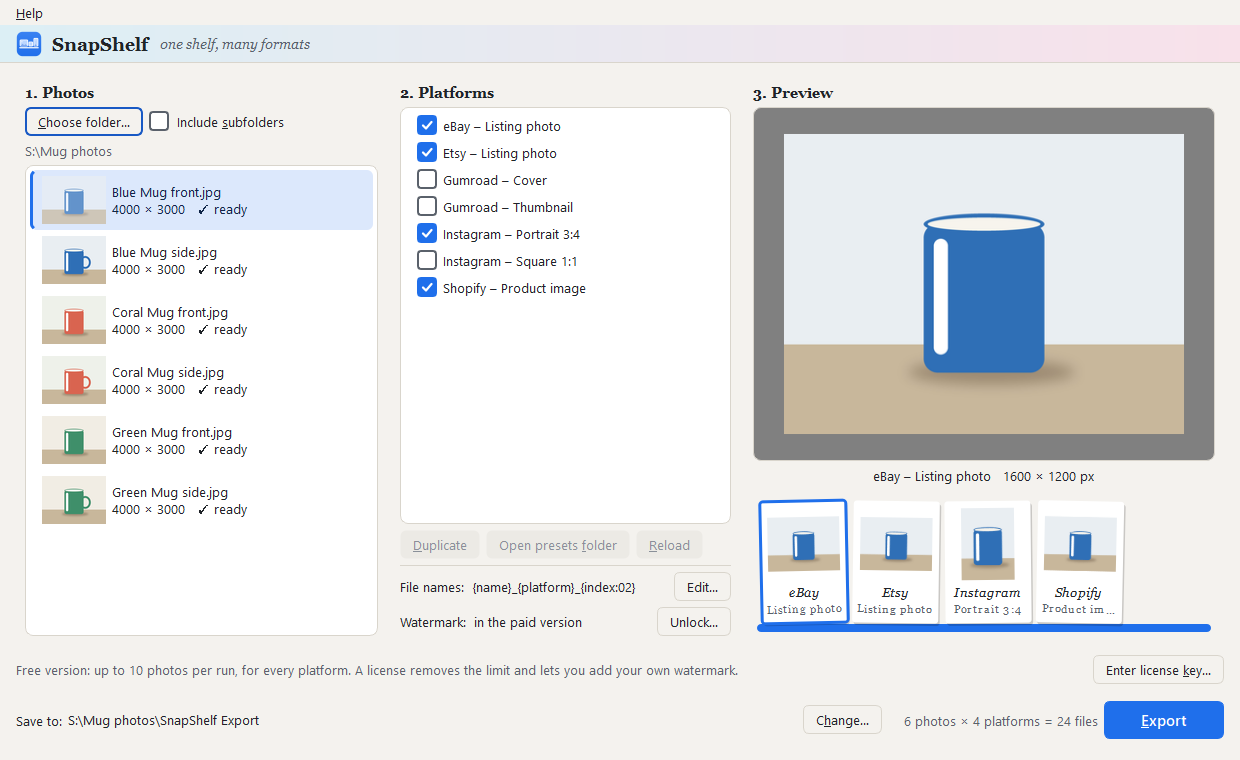
Pick a folder or drop files on the window. JPEG, PNG, WebP, BMP and TIFF are read.
Desktop app · Windows and Linux · Version 1.0
Sell the same product in more than one place? Drop in your photos, tick the platforms, and get a ready-to-upload set for each one. Your originals are never changed.
How it works
One run, one folder per platform.
Step 1
Pick a folder or drop files on the window. JPEG, PNG, WebP, BMP and TIFF are read.
Step 2
Etsy, eBay, Shopify, Instagram and Gumroad are built in. The preview shows each platform's size, crop or padding.
Step 3
Each platform gets its own folder of resized, renamed files, with a report of what was done to every photo.
What it takes care of
The things that are easy to get wrong by hand.
Rules
Every built-in preset records the platform help page it was taken from and the date it was checked. You can copy a preset and change it.
Safety
Exports always go to a new, dated folder. Nothing is overwritten and your source photos are only ever read.
Names
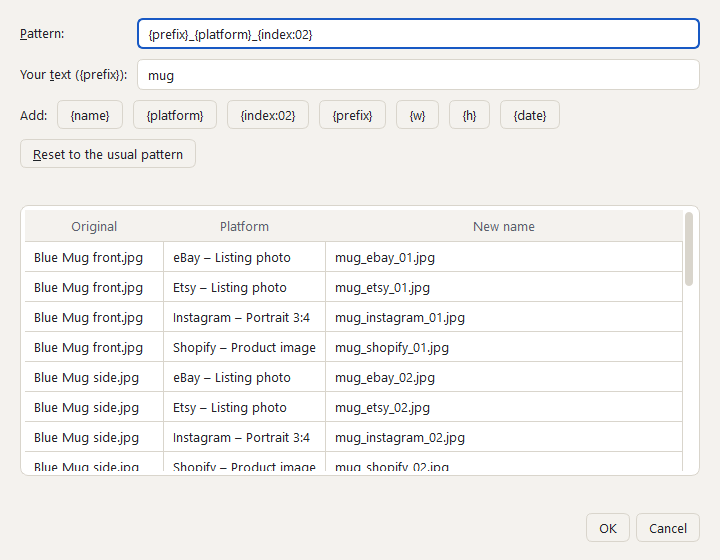
Set a naming pattern once and see every new name in a table before you export.
Marks
In the paid version, add your own text or logo watermark. It is left off for eBay, whose picture policy does not allow watermarks.
Warnings
A photo smaller than a platform's size is never stretched. It is exported as it is and pointed out.
The download is the whole app. It runs as the free version until you enter a license key.
Windows 10 and 11
Download the installer 27 MBOr the zip version (37 MB): unzip and run, nothing installed.
Linux
Download the AppImage 71 MBMark it as runnable, then open it. Or the tar.gz (76 MB). Needs a desktop at least as new as Ubuntu 22.04.
SnapShelf is new and its installer is not yet signed with a publisher certificate, so Windows warns the first time you run it. In the blue box, choose More info, then Run anyway.
If you would like to be sure the file is the one published here, compare its SHA-256 checksum with the published list. In a terminal: certutil -hashfile SnapShelf-Setup-1.0.1.exe SHA256
Free and paid
$4.99, once. No subscription.
Free version
Every platform, the live preview, file naming and your own presets. SnapShelf never stamps a mark of its own on your photos.
Licensed
No limit on photos, and you can add your own text or logo watermark. One license, for use on two of your computers.
SnapShelf does all its work on your own machine. There is no account, no upload and no usage tracking. It goes online for two things only: to confirm a license key, and once a day to ask this website whether a newer version exists. That check sends nothing about you or your photos, and you can turn it off: in the app, open the Help menu and untick “Check for updates automatically”. SnapShelf keeps working when you are offline.
The free version exports real, full-quality files, so you can test SnapShelf on your own photos before paying anything. If you buy and it is not right for you, write to night.dev.art@gmail.com: refunds are handled case by case, and any rights you have under your local consumer law are not affected.
Payment is handled by Stripe, who also send your receipt. Straight after paying you are shown your license key: save it, because it is not sent by email. In SnapShelf, choose Help, then License…, paste the key and press Activate. To move the license to another computer, remove it from the old one in the same box first. Lost your key? Write to night.dev.art@gmail.com with your receipt.